Skip to content
View in the app

A better way to browse. Learn more.

Twins Daily

A full-screen app on your home screen with push notifications, badges and more.

To install this app on iOS and iPadOS
  1. Tap the Share icon in Safari
  2. Scroll the menu and tap Add to Home Screen.
  3. Tap Add in the top-right corner.
To install this app on Android
  1. Tap the 3-dot menu (⋮) in the top-right corner of the browser.
  2. Tap Add to Home screen or Install app.
  3. Confirm by tapping Install.

officiallyrandi

Provisional Member
  • Joined

  • Last visited

  1. I couldn't figure out how to make it smaller, i'm sorry.
  2.    officiallyrandi reacted to a post in a topic: Zack Granite - 2018
  3.    MN_ExPat reacted to a post in a topic: Zack Granite - 2018
  4.    Squirrel reacted to a post in a topic: Zack Granite - 2018
  5.    Vanimal46 reacted to a post in a topic: Zack Granite - 2018
  6. Position: CF B/T: L/L Height: 6'1" Weight: 175 Birthday: September 17, 1992 Zack Granite was drafted by the Twins in the 14th round in 2014. In 2016 he played for the Chattanooga Lookouts and was the Twins minor league player of the year, and was added to the 40-man roster after the season ended. He played the 2017 season with the Rochester Red Wings, and was named to the Triple-A All-Star game in 2017. He made his major league debut with the Minnesota Twins on 7/8/17 against the Baltimore Orioles. In his first major league at-bat he saw 11 pitches before he flew out to left field. Zack Granite played 40 games and had 93 at-bats with the Minnesota Twins in 2017. He had an average of .237 with 1 home run, 22 hits, 12 walks and 9 strikeouts. If you want to follow him on social media, here are the links: Twitter: https://twitter.com/zgranite Instagram: https://www.instagram.com/zack_granite/
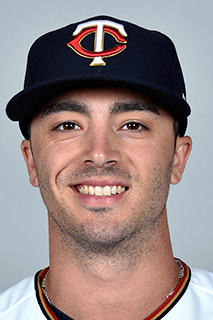
  7. I'm going to give this a try. I'll take Zack Granite.

Account

Navigation

Search

Search

Configure browser push notifications

Chrome (Android)
  1. Tap the lock icon next to the address bar.
  2. Tap Permissions → Notifications.
  3. Adjust your preference.
Chrome (Desktop)
  1. Click the padlock icon in the address bar.
  2. Select Site settings.
  3. Find Notifications and adjust your preference.