Squirrel
Community Leader
-
Joined
-
Last visited
Everything posted by Squirrel
-
-
If you noticed my next post down, I already commented that you don't have the same option I do and tagged @Brock Beauchamp to respond.
-
Okay ... you don't have that option, so I don't know the answer. @Brock Beauchamp, you'll have to answer this.
-
I'm not sure how it looks for you, but for me, to the right of each image line is a little square box. When I check a box, there's a pop-up that appear on the lower screen with a trash can icon. Click that and the image you've checked is deleted; check two, three or 10 boxes, and you can delete that many at a time. If you want to delete an entire page at once, there should be a square box at the top of your list, I think it might say 'sort by' ... if you click on that, you can 'select all'. It will select all on that page (25), so you can delete a page at a time. If you don't have this, let me know, and I'll figure it out.
-
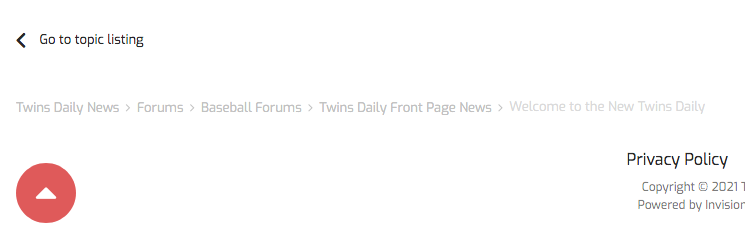
As more people show up, I wanted to start a thread (unrelated to the topic, but necessary) to explain how these clubs work. They act as mini-websites inside a website. When you join, you enter on the overview page. It shows you the latest activity in that particular club from new threads, forum topics, members, etc. (There isn't yet a lot of activity here because we started small.) The black bar above shows you the topic forums for the club. In this club you have Overview, Politics and Human Rights, Non-political world events/crises and Members. That's it ... for now. Wanted to see how this worked before adding more. To start a discussion thread, you need to go into one of those forums ... in this case Politics and Human Rights or Non-political World Events/Crises. So, click on one of those and start up a related topic or join an ongoing thread. Only moderators can start topic forums, but anyone can start a discussion thread. Eventually 'Clubs' will have a more prominent click point in a drop down menu. (To find clubs, and right now this is the only one, click the hamburger menu, then click Clubs.) Anyway ... if you have questions about this, just ask. if you want to start a thread in one of these forums, start one. Test it out. Invite others to check it out. If you have ideas for other clubs, you can post here; or Brock has started a discussion thread in the Sports Bar forum.I prefer these, tyvmI've gotten some pretty weird ads that have me wondering what in the heck I searched for ... like male grooming implements and armor ... seriously ... lol ... sometimes they are inexplicableYes, I think so ... it's somewhere in your notification settingsI think everyone will remain ice cold this series ... because it's cold herePlus a spiffy announcement banner at the top of the page! There is the color blue people were missing ... although now it makes this look like a website from France ... lolyep, absolutely, and I think that would be the plan. But for now, I think we just want to get people used to the site. But ... for instance ... the top menu banner could read 'News, Forums, Blogs, Clubs' or ... the hamburger menu ... within that first drop down, rather than having to go into 'Browse Content' to find them. (And I'm really speaking out of turn, as this is Brock's area.)Oh, you'll see blue from time to time when we post announcements ...You know my feelings on it, but I'll say it publicly. I think the clubs could/should replace the MinnCentric section of the site, with the exception of the Questions forum. And maybe a little descriptor on how clubs function would be helpful. Clubs are like mini-websites within a larger website. So, for example, you could have a non-baseball sports club. And within in that you would have various topic forums for Football, Basketball, Hockey, Other Sports, Gaming and Leisure Sports, etc ... each topic is its own forum for you start various discussion threads. So, in the football forum you can start threads to discuss the NFL Draft, the Vikings, Gophers, NCAA bowl games, etc ... and a forum for each of the things I named. We could have an Arts and Culture club to discuss movies, series television, music, books, cooking, crafting, home decor projects, etc ... The possibilities are pretty endless. I think most discussion topics could be covered in 3 or 4 clubs ... and then each club can handle a myriad of topic forums and discussion threads within.The orange you see is just one of the color choices for banner announcements. Once everyone is more or less acclimated, those orange line items will go away ... however, they may be replaced with other announcements from time to time in green or blueCall the Mussels offices and ask ... they would likely know ... but there are a few posters from the area who might knowTouch the red dot or star to the left of the thread, whether on a phone, tablet, laptop or desktopWell ... not just that ... the red scroll button is available wherever you are, but if you are at the bottom of a topic you have all the options available ... 'Go to topic listing' takes you back to that forum; or click on one of the things in the gray ... takes you to back as far as you want to go, without having to scroll up at all.
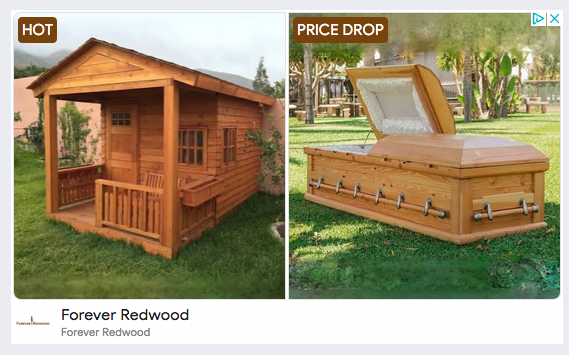
 oh gackWell, I knew you were the one who did itone of our many tools ... in 3 clicks, 2 posts are mergedphew!Boy ... even the ads are in on the Twins this year ...
 And the rest of us from listening to the both of you ...C'mon, Shoemaker! Pitch like your career depends on it ... because I think it does